
At minimum, verify new addresses as they enter your system and clean older segments periodically. Lists with high churn or long sales cycles benefit from more frequent checks.


What Is Email Verification and How Does It Work?
Email verification is a foundational part of list management. It doesn’t change how campaigns are written or when they’re sent, but it strongly influences whether those messages reach real inboxes and produce metrics you can trust.Updated on March 3, 2026
What Is Email Verification
On paper, email verification is simple: it’s the process of checking whether an email address can receive mail.
But here’s the catch—just because an address looks fine doesn’t mean it’ll work. I’ve seen plenty of lists pass a basic format check and still tank a campaign. Why? Because those addresses bounced, vanished, or worse—dragged the sender’s domain into spam purgatory.
And before we go further, let’s untangle a common mix-up:
Validation ≠ Verification
- Validation is a surface check. It makes sure the address looks like it should (name@domain.com).
- Verification digs deeper. It asks: “Is this real? Is anyone there? Will this bounce back in my face?”
That second question is the one that protects your sender reputation.
How Does Email Verification Work?
It sounds technical—and under the hood, it is—but the goal is beautifully simple: Is sending to this address going to cause problems?
To figure that out, a typical email verification process goes through a few steps:
1. Syntax Check
The first step is verifying if the address is structured correctly. Something like "user@@domain.com" or "userdomain.com" fails this basic syntax test. It ensures that addresses comply with the standard format before moving further.
2. Domain Check
Next, the system checks whether the domain (the part after the “@”) is valid and active. This process confirms that the domain exists and can accept messages – for instance, "gmail.com" is valid, while something random like "emailnowhere.com" may not be.
3. SMTP Verification
Finally, the SMTP verification involves directly communicating with the email server to confirm whether the address exists and is active. Unlike domain checks, this confirms a legitimate inbox on the domain that is ready to receive messages.
The best tools don’t stop there. They also:
- Flag temporary/disposable emails (like mailinator.com)
- Catch role-based addresses (support@, info@)
- Spot “catch-all” domains that accept everything but never reply
And rather than a blunt yes/no answer, you get an email risk score—a kind of gut check for each address. Some you keep. Some you cut. Some you watch.
Why It Matters More Than You Think
Email still drives more ROI than almost any other digital channel. But it’s also brutal when something goes wrong. One bad list can poison your domain reputation for months.
Get this: a 2024 benchmark across 15 major ESPs found the average deliverability rate was just 83.1%. That means nearly 17% of emails never made it to the inbox—and that’s before factoring in spam folders and missing mail.
On top of that, around 10.5% of emails went straight to spam folders and 6.4% have gone missing entirely, underscoring how fragile inbox placement can be without strong list hygiene and verification in place.
Most email lists degrade faster than people expect. Even lists built “the right way” naturally pick up bad data over time.
People mistype their address during checkout. Someone downloads a lead magnet using a throwaway inbox. Employees leave companies and their work emails quietly expire. In other cases, users deliberately submit fake addresses just to access content without committing to future emails.
At global scale, email usage continues to grow, with an estimated 4.59 billion email users in 2025 and more than 376 billion emails sent every day. Nearly half of that global volume—around 49%—is classified as spam, which makes mailbox providers especially sensitive to poor data quality, high bounce rates, and other signals of risky sending behavior.
Most deliverability benchmarks now treat a hard bounce rate below 2% as the safe zone, with 2–5% considered a warning range and anything above 5% flagged as critical. Some providers set the bar even higher, noting that a bounce rate over 2% should trigger immediate list cleaning and a review of acquisition practices. In other words, the “few percent” you might be tempted to overlook are exactly what mailbox providers watch most closely.
Email verification helps stop that slide. By identifying invalid, inactive, and risky addresses early, it protects your sender reputation and keeps your email program operating on clean, reliable data.
The Real Benefits of Email Verification
The most obvious benefit of email verification is fewer bounces. But the real value shows up downstream.
Studies in performance across leading ESPs show that nearly 1 in 6 marketing emails fail to reach the inbox, either landing in spam or disappearing altogether. Because inbox placement directly influences opens, clicks, and revenue, even a modest improvement in deliverability can translate into a meaningful lift in overall campaign ROI.
Cleaner lists lead to more accurate engagement and other email marketing metrics. Open rates and click-through rates stop being diluted by addresses that were never capable of engaging in the first place. That makes testing, segmentation, and optimization far more reliable.
There’s also a direct cost component. Many email platforms charge based on list size or send volume. Removing inactive and invalid addresses reduces spend without reducing reach.
Most importantly, verification protects sender reputation. Mailbox providers reward consistent, low-risk sending behavior. When bounces stay low and engagement stays steady, inbox placement improves — and that improvement compounds over time.
Email Verification Best Practices
- Verify new email addresses at the point of entry whenever possible.
- Clean legacy lists before large campaigns or platform migrations.
- Re-verify inactive segments rather than sending blindly.
- Avoid purchased lists, which often introduce hidden deliverability risks.
- Monitor bounce rates and complaint signals after every major send.
- Treat verification as ongoing hygiene, not a one-time fix.
- Verification works best when it’s part of a broader, permission-based email strategy — not a last-minute rescue step.
When Should You Verify Email Addresses?
For most organizations, verification works best as a combination of cleanup and prevention.
Start with a full verification of your existing list, especially if it hasn’t been checked recently or includes older contacts. This establishes a clean baseline and surfaces hidden issues.
Going forward, real-time verification at signup or import helps stop typos, fake addresses, and disposable inboxes before they enter your system.
Finally, lists naturally decay over time. Re-verifying inactive or long-unused segments — particularly before major campaigns — helps keep bounce rates within acceptable ranges and protects deliverability as your list evolves.
This ongoing maintenance is especially important in B2B and fast‑moving industries, where average bounce benchmarks can vary, but keeping list‑wide rates under 2% remains a consistent target across most verticals. Regular verification helps you stay within that range as databases age, people change jobs, and old addresses quietly stop accepting mail.
What to Do With Verification Results
Verification results are most useful when they inform action:
- Valid addresses can remain in regular campaigns.
- Invalid or unknown addresses should be removed from mailings immediately, with occasional manual review if a typo seems obvious.
- Disposable addresses are best excluded from long-term communication, as they rarely deliver sustained engagement.
- Catch-all or risky addresses may still be usable but should be segmented and monitored carefully.
- Role-based inboxes can be valuable in B2B contexts, though they often require lower send frequency and clearer targeting.
Treating these categories differently allows teams to balance reach with risk instead of making blunt all-or-nothing decisions.
Choosing an Email Verification Service
With multiple paid and free verification tools on the market, selecting the right one can feel daunting. Here are the key features you should look for in a service:
- Accuracy: Check if the tool identifies inactive or invalid addresses while preserving valid ones.
- Speed: For larger lists, speed matters. Choose a service that’s capable of processing lists quickly.
- Data Security: Data — especially for electronic mail — is sensitive, so the service must have strong security protocols to protect your information.
- Integration: Some tools easily integrate with popular marketing platforms, making the process more seamless.
Check if your email is valid with VerifiedEmail
A Few Email Verification Services You Can Consider
Here are a few well-known options in the market today:
1. VerifiedEmail
VerifiedEmail is a cutting-edge email verification tool that optimizes your email campaigns by ensuring only active, valid addresses remain in your lists. It helps improve deliverability and protects your sender reputation by eliminating risky or outdated contacts.
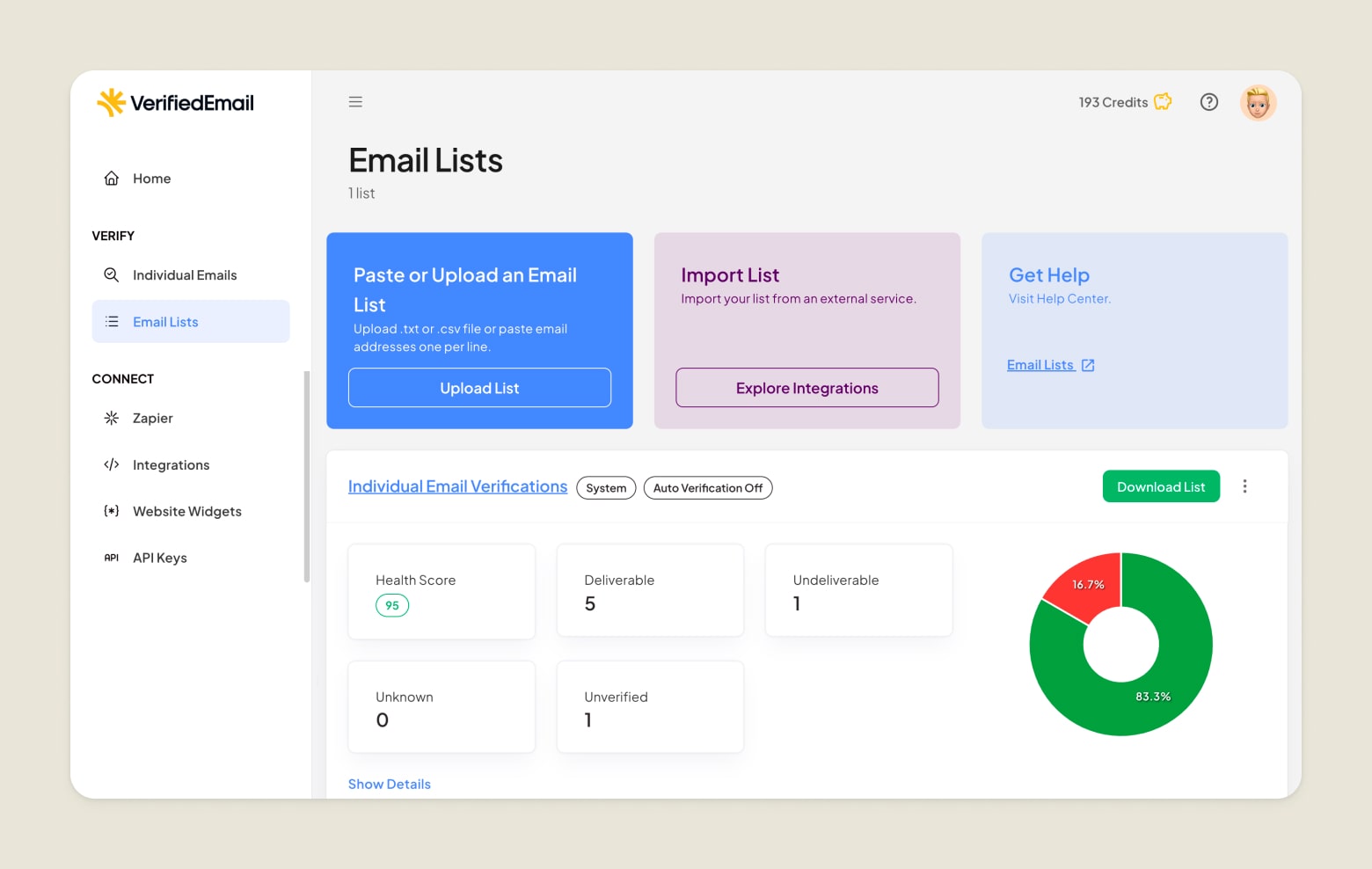
Key features include:
- Advanced multi-layer verification that checks syntax, domain integrity, and mailbox status
- Real-time processing for instant, actionable results
- Seamless integration via an intuitive web dashboard, REST API, and an embeddable widget for email verification with built-in bot protection
- Detailed reporting and insights to monitor list quality and performance
VerifiedEmail offers flexible pricing options, including a pay-as-you-go plan: Verify Once for 1,000 emails at $7 (≈ $0.007 per email) and an optional Re-Verify Daily subscription at $7.2 per month when billed annually. A free trial is also available.
2. ZeroBounce
ZeroBounce offers a comprehensive email validation system to help organizations remove invalid addresses, identify spam domains, and improve deliverability.
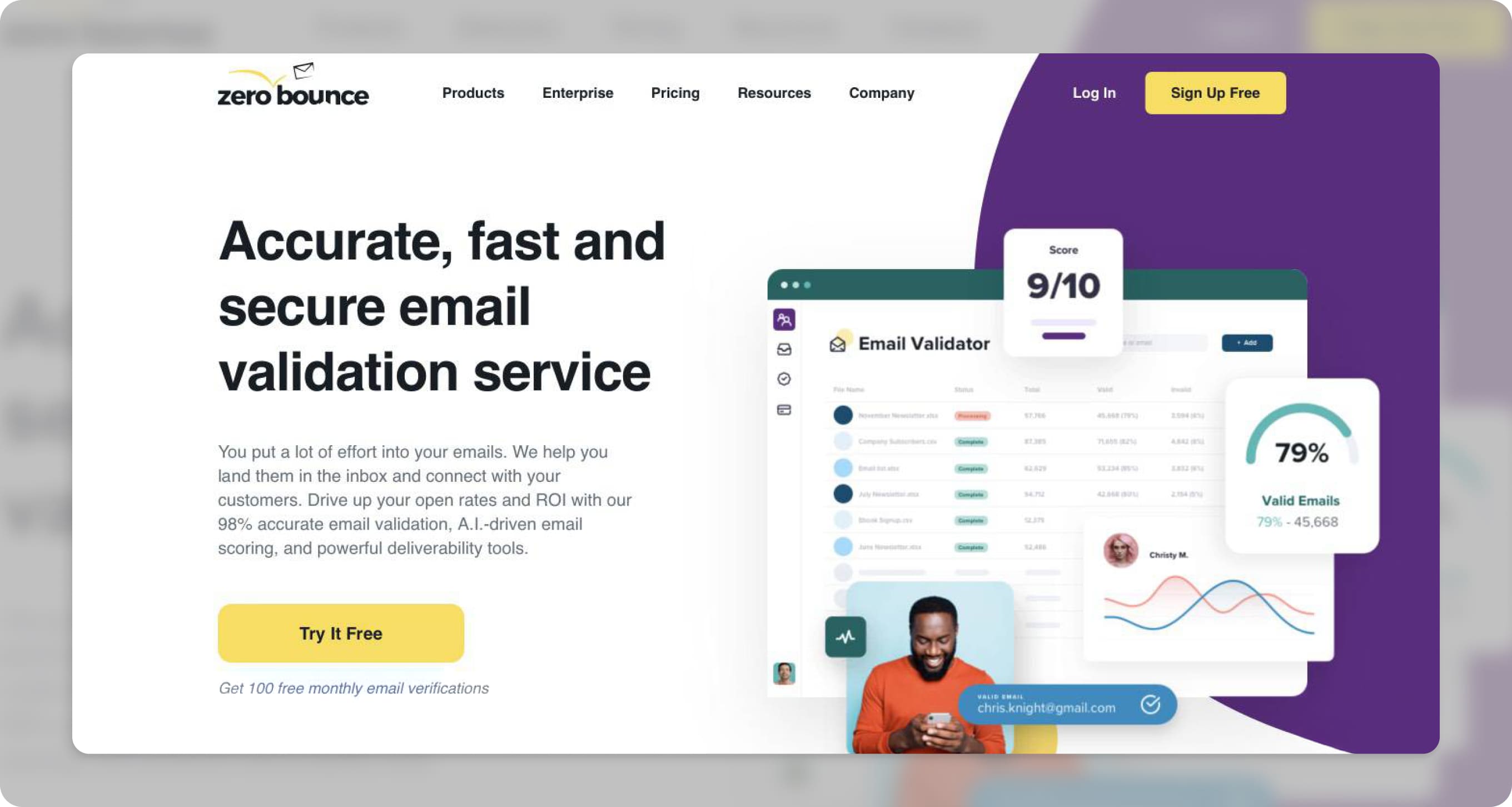
Key features include:
- Detection and removal of email abuse and spam traps
- Identification of toxic domains and temporary accounts
- Appending missing email data such as name, gender, and location
- Detailed reports and data insights
ZeroBounce provides flexible pricing options: Pay-As-You-Go that starts at $20 for 2,000 validations or monthly subscriptions depending on the number of addresses to be verified. Free trial is also available with 100 free monthly validations.
3. NeverBounce
NeverBounce offers both real-time and bulk email verification services.

Its key features include:
- Real-time email verification API for instant results
- Bulk email list cleaning
- Real-time verification
- Automated contact list cleaning
Pricing and subscription are flexible — you can go on a pay-as-you-go, monthly, or yearly basis. There’s also a free trial that analyzes your list for no extra cost.
Wrapping It Up
Email verification is not just a housekeeping task; it’s a strategic move that ensures the efficiency and effectiveness of your marketing campaigns. By removing invalid and inactive addresses, you’re not only protecting your reputation and improving deliverability but also maximizing the impact of your investments.
Whether you manage a small contact list or handle massive campaigns, prioritizing verification is the smart move to maintain a healthy, responsive subscriber base. Don’t leave your marketing performance to chance — verify email, connect, and engage with confidence. Most deliverability benchmarks consider a total bounce rate under 2% to be healthy, with 2–5% as a warning zone and anything above 5% as a serious red flag. Many providers now recommend investigating list quality at anything over 2%, and the best-performing senders often keep bounce rates closer to 1% or below. Validation checks whether an email address looks correct. Verification goes further, testing whether the address can actually receive messages. Verification is necessary, but not sufficient on its own. Content quality, authentication, sending patterns, and engagement all play a role. Verification simply removes one of the biggest and most preventable risks. No. Email verification confirms an address can receive mail, while double opt-in confirms user intent. They serve different purposes and work best together. FAQs
Clean your email lists today.
Verify 200 emails for free. For lists over one-million emails, we will beat the price of any competitor, guaranteed.