
Not necessarily. Remove the address from your active sending list and use a suppression list to prevent future sends. For hard bounces, remove the address permanently. For soft bounces, monitor the address and remove it if it continues to bounce after several attempts.


Email Bounce Explained: How To Fix And Prevent Bounced Emails
An email that bounced back doesn’t automatically mean that the recipient is uninterested. While there are plenty of reasons why emails can bounce (some completely outside your control), monitoring your bounce rate is always a good idea since this helps you gauge whether your email list quality remains in good shape.Updated on January 27, 2026
When “Delivery Failed” Isn’t the Whole Story
Email bounces aren’t just failed deliveries; they’re also opportunities for improvement. If you’re wondering, “Why do emails bounce?” it can stem from issues on the side of either the sender or receiver. The consequences are greater if the problem is on your end and you don’t address it.
What is an email bounce: definition
So what does it mean when an email bounces back? An email bounce occurs when a message you send doesn’t reach the receiver’s inbox, which “bounces back” to you, often with an automated error message or code explaining the reason for the failed delivery.
📌 A higher-than-usual bounce rate usually means something in your email list needs attention.
What an email bounce looks like
Every email bounce process involves the Simple Mail Transfer Protocol (SMTP), which is the standard protocol for sending emails. When a message fails at any point in the delivery process, the mail server responds with a return code. These codes give you precise insight into the issue, helping you understand what needs to be fixed.
Here’s what happens when you send an email:
- The email is created and sent from your email client (Outlook, Yahoo, Gmail, etc.).
- The email client communicates with the outgoing mail server to transfer the message.
- The sender’s mail server uses SMTP to communicate with the recipient’s server. The message is passed through multiple servers (if necessary), with each hop between servers involving an SMTP connection and exchange of commands.
- The recipient’s mail server processes the message and either accepts it for delivery (success) or rejects it (email bounce).
- If accepted, the message is delivered to the recipient’s inbox and appears in their mail client. If rejected, it’s returned to you with the corresponding SMTP return code.
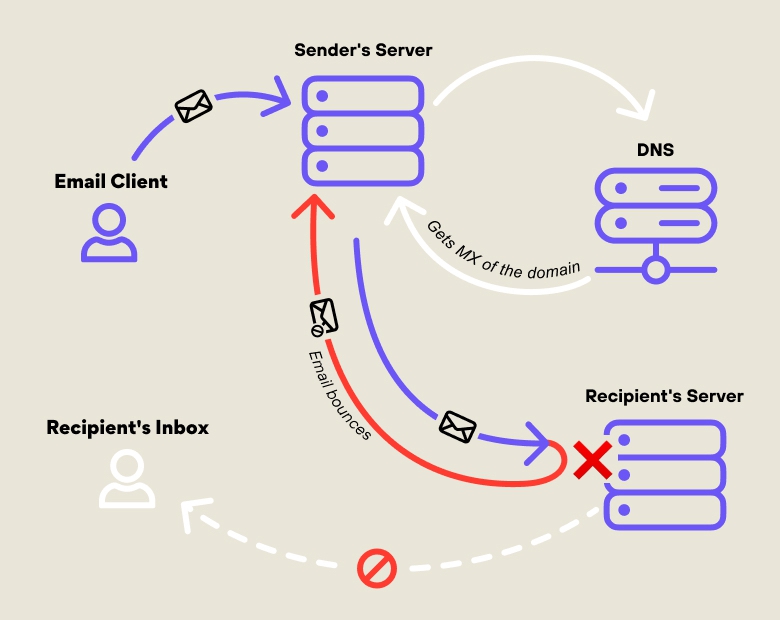
Return codes are accompanied by Mail Delivery Subsystem messages (also known as Delivery Status Notifications, Non-Delivery Reports, kickback emails, or bounce messages), which provide a more specific explanation for the failed delivery.
These “return to sender” emails or messages often include notices such as:
- Message size exceeds fixed maximum message size
- Requested action aborted: Local error
- Recipient address rejected: Access denied
- Service unavailable
- Mailbox full
The key thing to remember is that bouncing emails always hurt your sender reputation, which can directly impact the performance of any email marketing campaigns you run. Learning how to handle bounced emails properly can help protect your sender reputation and keep your campaigns performing well.
Soft vs. Hard Bounces: The Two Faces of Delivery Failure
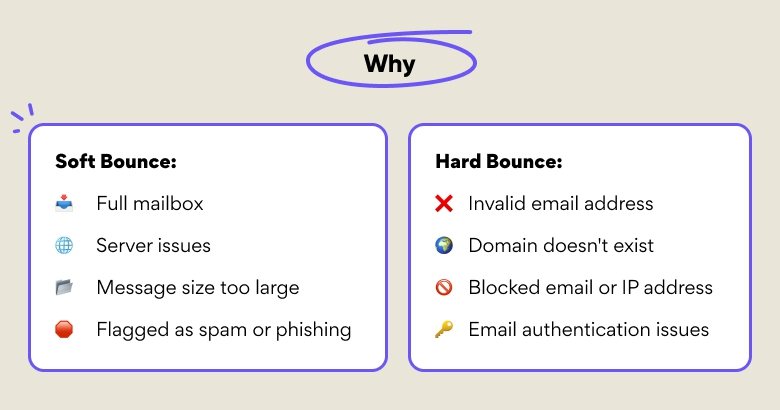
Email bounces fall into two categories: hard and soft bounces. As a general rule, soft bounces are less damaging to your email list than hard bounces. However, every bounce still indicates that something in your list or sending process needs attention, so it’s essential to monitor both types.
Types of email bounces
Not all bounces are created equal, and you need to understand the differences between them. The two types of email bounce are:
Soft Bounce
A soft bounce is when an email fails to reach the recipient due to a temporary issue. The server may reject the message at the moment of sending, but delivery could still succeed later. So what causes an email to bounce? Common causes include:
- The recipient’s inbox is full.
- Temporary issues with the recipient’s mail server.
- The email, or its attachments, is too large.
Common SMTP Return Codes for Soft Bounces:
Soft bounces are identified by return codes that start with “4”, indicating a temporary failure:
- 421: "Service unavailable, closing transmission channel" (often due to server overload)
- 450: "Requested mail action not taken: mailbox unavailable" (temporary issue on the recipient’s side, e.g., a busy mailbox)
- 451: "Requested action aborted: error in processing"
- 452: "Requested action not taken: insufficient system storage" (recipient inbox or server is temporarily full or overwhelmed)
For soft bounces, you can try resending the email later. If it still doesn’t go through, knowing how to fix bounced emails is key. For instance, you can remove or flag the address in your list.
Hard Bounce
A hard bounce occurs when the email is permanently rejected, meaning the recipient’s email address is invalid or unreachable. Common reasons include:
- The email address doesn’t exist.
- The domain name is incorrect or inactive.
- The recipient’s mailbox is permanently disabled (e.g., due to account closure).
Common SMTP Return Codes for Hard Bounces:
Hard bounces are identified by return codes starting with “5”, indicating permanent delivery failure:
- 550: "Requested action not taken: mailbox unavailable" (invalid or non-existent recipient)
- 551: "User not local; please try forwarding" (occasionally related to routing, but often treated as a hard bounce)
- 552: "Requested mail action aborted: exceeded storage allocation" (the mailbox is over quota and can’t receive additional mail)
- 554: “Message rejected due to policy” (usually triggered by spam filters, restricted content, or sender blacklisting)
📌 If you receive a hard bounce (especially a 550 or 554), it’s best to remove the address from your list.
Reasons Why Emails Bounce in 2026
Most email bounces in 2026 stem from two root causes: weak technical setup (limited understanding of how email systems operate) and substandard email list quality (lists containing outdated, invalid, or high-risk addresses). Fortunately, both can be prevented with proper practices and the right tools.
Some of the specific issues that can cause an email bounce include:
Authentication issues (SPF, DKIM, DMARC)
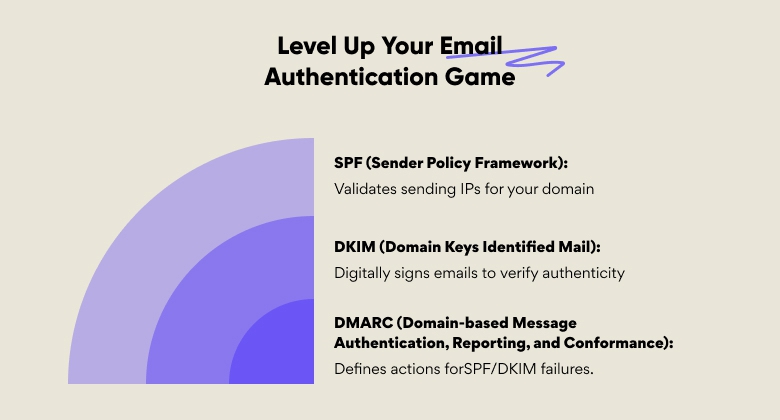
Email authentication protocols like SPF (Sender Policy Framework), DKIM (DomainKeys Identified Mail), and DMARC (Domain-based Message Authentication, Reporting & Conformance) help verify that emails are being sent from a legitimate source.
If these protocols are misconfigured or fail to align (e.g., if the SPF record doesn’t match the sending IP or the DKIM signature is incorrect), your message may be automatically rejected. Email providers use these checks to prevent spoofing and phishing attacks, so any mismatch can result in a bounce.
Expired domains or DNS misconfigurations
If the domain you're sending from has expired or contains DNS errors, your recipient's mail server won’t be able to find or verify it. This makes delivery impossible, resulting in hard bounces.
Blocklists and spam filtering
Major email service providers like Gmail, Outlook, and Yahoo maintain blocklists of IP addresses and domains known or suspected to send spam or harmful content. If your sending IP or domain appears on one of these lists, your messages may be blocked or marked as spam, leading to failed deliveries. Following proper email authentication and list hygiene practices can help prevent emails from going to spam.
Bad sender reputation
Aggressive sending practices (like flooding inboxes or using a low-quality email list) can damage your sender reputation. When your reputation drops, email providers are more likely to delay, filter, or reject your messages, increasing the chances of bounces.
How to Reduce and Prevent Bounces Step by Step
It only takes a few failed deliveries for your sender reputation to be negatively affected, which makes it important to take proactive steps to reduce and prevent email bounces.
The following practices can help you reduce bounce rates:
1. Clean and verify email lists regularly
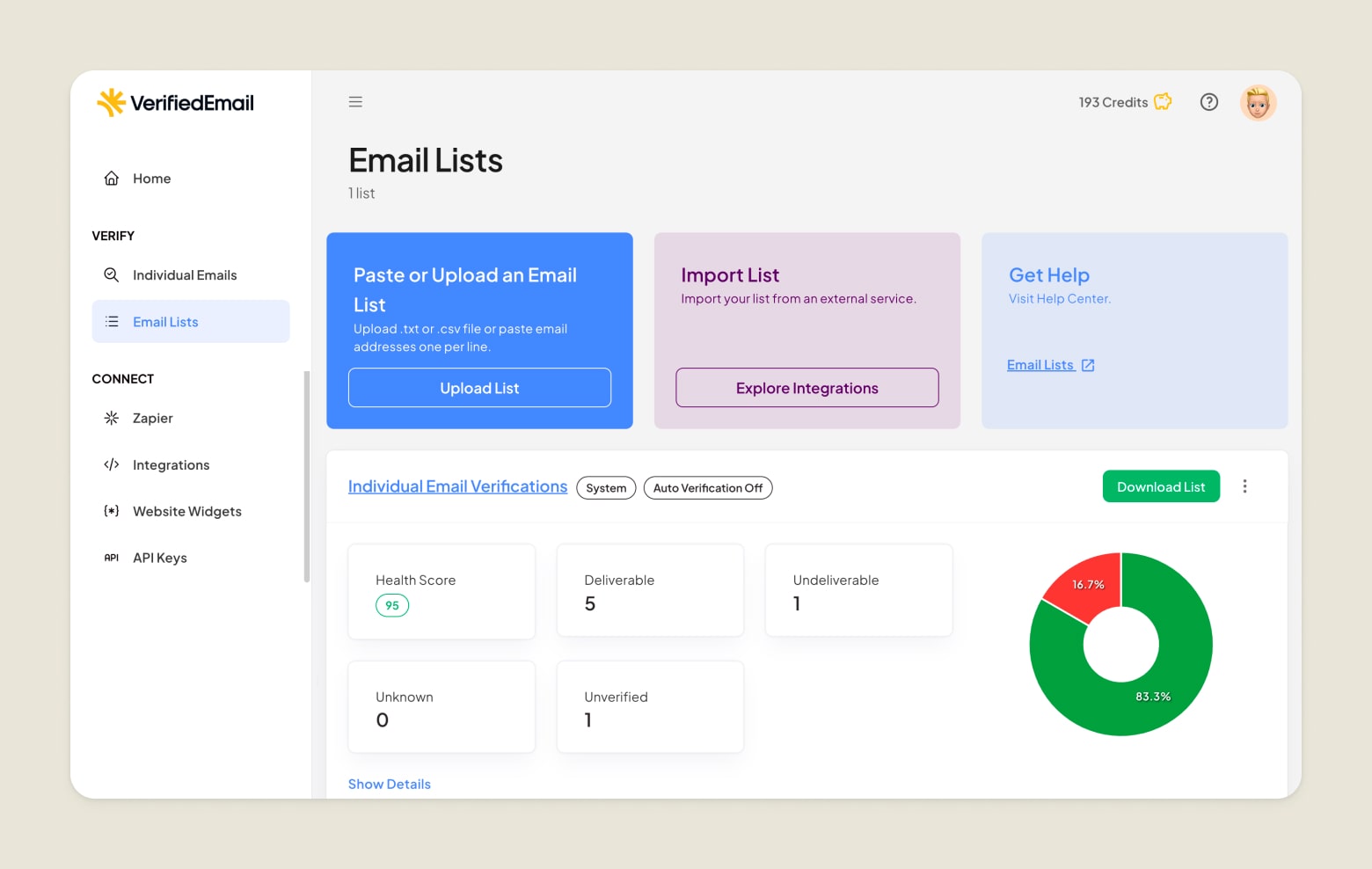
Remove invalid, inactive, or mistyped addresses to reduce hard bounces. For smaller lists, you can do this manually, but larger lists are best managed with email verification tools like VerifiedEmail. It can quickly identify and remove unengaged contacts, making it easier to maintain a clean email list.
2. Maintain authentication and reputation hygiene
Set up and configure SPF, DKIM, and DMARC for your email domain to prove your messages are legitimate. This strengthens your sender reputation, making mailbox providers more likely to accept your messages rather than bounce them due to suspected spam or phishing.
3. Use suppression lists and monitor feedback loops
Automatically suppress addresses that repeatedly bounce, unsubscribe, or mark your emails as spam. Monitoring ISP feedback loops lets you react quickly to spam complaints, which can help improve email deliverability.
4. Keep IPs warm and avoid sudden spikes in sending
When using a new or “cold” IP address, gradually increase your email volume so inbox providers learn to trust your traffic. A sudden surge of emails from a cold IP can trigger filtering or rate limiting, increasing the risk of bounces. This is particularly important when starting a new company or creating a dedicated email address for marketing campaigns.
5. Optimize your email content
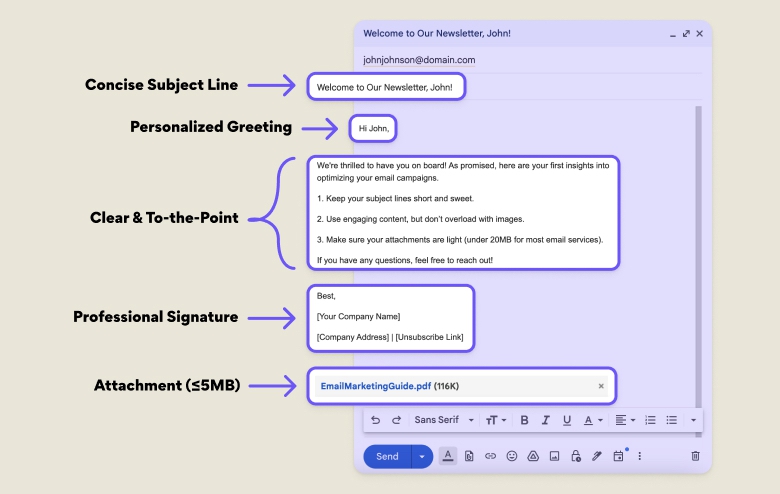
The content of your emails can also impact your bounce rate. Keep your emails concise and to the point, avoid using too many images or other multimedia elements in your messages, and personalize your emails by using the recipient's name and other relevant information.
What’s a “Healthy” Email Bounce Rate?
While benchmarks vary by expert and industry, most email professionals agree that a healthy bounce rate is below 2%, with 1% or less considered excellent. A rate above 2% may indicate issues with list quality that could harm your sender reputation.
eCommerce emails have some of the lowest rates at just 0.19%. Healthcare services and education are slightly higher at around 1.0-1.1%, while financial services average 1.2%. Overall, the cross-industry average is 2.48%.
A good way to monitor your bounce rate is through deliverability tools and best practices:
- Use an email service provider: Most ESPs provide bounce metrics per campaign and can differentiate between hard and soft bounces. This makes it easy to spot spikes or trends in your bounce rates.
- Monitor deliverability with specialized tools: Inbox monitoring tools let you monitor your sender reputation, bounce patterns, and ISP feedback. Some tools also break down bounces by ISP, helping you identify whether issues are ISP-specific.
- Set up alerts: Define thresholds to automatically flag potentially “bad” addresses. Many ESPs have dashboards or automated reports that can alert you when bounce rates change significantly.
- Analyze trends over time: Track bounce rates weekly or monthly rather than just per campaign. Watch for “bounce rate creep,” a gradual increase in that may signal declining list quality or inactive contacts.
- Combine with other deliverability metrics: Correlate bounce rates with KPIs like spam complaints, open rates, click rates, and unsubscribes. Together, these metrics provide a clearer picture of your list health and email deliverability issues.
- Use email verification or list cleaning tools: Periodically validate your list with tools like VerifiedEmail and compare bounce behavior before vs. after cleaning. Tracking re-verified segments versus unverified ones helps you keep a healthy email list.
Check if your email is valid with VerifiedEmail
Example: Fixing a 10% Bounce Rate Campaign
After months of struggling with 6–7% bounce rates, a SaaS startup decided to improve its email hygiene through internal processes and external tools.
📌 The startup ran its subscriber list through an email verification service, which removed thousands of invalid and role-based addresses. Simultaneously, the team fixed its DNS configuration (adding SPF, DKIM, and a strict DMARC policy) to authenticate every message.
➡️ Within two weeks, hard bounces dropped below 1%, soft bounces stabilized, and inbox placement improved across Gmail and Outlook. The combination of a clean, verified list and proper authentication gave mailbox providers clear trust signals, significantly reducing rejected mail and restoring the company’s sender reputation.
Conclusion
Email bouncing can and will happen, but there are effective ways to minimize it. Reducing your bounce rate improves post-campaign metrics and builds trust in your emails, making your future marketing efforts more likely to succeed.
Incorporating an email verification tool like VerifiedEmail into your bounce management strategy can help enhance your list hygiene. It quickly verifies email lists, identifies underperforming addresses, and removes them to protect your deliverability. When an email bounces, it’s returned to the sender as an automated "bounce-back" message that explains why delivery failed. This message is sent to your inbox or to a specified "return-path" address and includes an error code to help you troubleshoot the problem. FAQ
Clean your email lists today.
Verify 200 emails for free. For lists over one-million emails, we will beat the price of any competitor, guaranteed.