

Kickbox Review: Is It Enough To Protect Your Email Deliverability?
Kickbox is one of the more established email verification tools used to clean lists and reduce bounce rates. In this Kickbox email verification review, we examine how well it performs in real-world scenarios, where it works best, and where it may fall short—especially for teams that care about long-term deliverability.

What Is Kickbox?
Quick overview
Kickbox is an email verification platform that validates email addresses before sending campaigns. It uses a combination of syntax checks, domain validation, and SMTP-level verification to determine whether an email is safe to send to.
Although the company positions itself within a broader deliverability ecosystem, most users rely on Kickbox primarily as a pre-send verification tool. In practice, it is used to filter out invalid or risky contacts before emails are sent.

Who Kickbox is for
Kickbox is commonly used by marketing teams, SaaS companies, agencies, and sales teams. It fits into workflows where email quality needs to be checked quickly without complex setup.
Typical use cases include cleaning older contact lists, validating new signups in real time, and maintaining general list hygiene. For teams with straightforward needs, it provides a practical entry point into email verification.
Kickbox Features at a Glance
Core verification capabilities
Kickbox offers both bulk verification and real-time validation through its API. Users can upload lists and receive categorized results such as deliverable, undeliverable, risky, and unknown.
These categories help teams decide which contacts to keep or remove. However, the usefulness of these categories depends on how clearly they guide decision-making, particularly in edge cases.
Integrations and workflow
Kickbox integrates with major platforms like HubSpot, Mailchimp, and SendGrid. This makes it relatively easy to incorporate into existing marketing stacks.
The interface is simple and designed for quick use. Reports are easy to read, and list processing is fast. However, some workflows still involve manual steps, such as exporting and re-importing verified data, which can create friction for larger teams.
Where Kickbox Works Well
Strengths users appreciate
Kickbox’s main strength is its simplicity. The platform is easy to set up, and most users can verify their first list within minutes. This makes it accessible even for non-technical teams.
It is effective at removing clearly invalid email addresses, which helps reduce hard bounce rates. For lists with obvious data quality issues, the improvement can be immediate and measurable.
Another advantage is the clarity of reporting. The platform presents results in a way that is easy to understand, which is useful for internal communication or client reporting.
Best-fit use cases
Kickbox works best in standard email marketing scenarios where the primary goal is to clean lists before sending. It is particularly effective for moderate volumes and relatively clean datasets.
In these situations, the tool is often sufficient to maintain acceptable deliverability levels without requiring deeper analysis or additional tools.
Kickbox Limitations You Should Know About
Accuracy and “unknown” results
One of the main challenges with Kickbox is how it handles uncertain cases, especially catch-all domains. These domains accept all incoming emails, which makes them difficult to verify accurately.
Kickbox frequently labels these addresses as “unknown.” While this is technically correct, it leaves users without clear guidance. For teams working with B2B data or high-value leads, this lack of clarity can create risk.
There are also reports of inconsistent results when re-verifying the same addresses. This can reduce confidence in the tool when dealing with borderline cases.
Depth of risk detection
Kickbox relies primarily on standard verification methods such as syntax validation and SMTP responses. While effective for identifying invalid emails, this approach has limits.
The platform offers less depth in areas such as spam trap detection, disposable email identification, and advanced risk scoring. This means that some risky addresses may still pass verification, particularly in more complex datasets.
For teams involved in cold outreach or high-volume campaigns, this limitation can have a direct impact on sender reputation.
Pricing and credits
Kickbox uses a credit-based, pay-as-you-go pricing model with volume discounts.
You get 100 verifications for free when you sign up.
- 500 verifications – $5 (about $0.01/email)
- 1,000 – $10 ($0.01/email)
- 5,000 – $40 ($0.008/email)
- 10,000 – $80 ($0.008/email)
- 100,000 – $800 ($0.008/email)
- 1,000,000 – $4,000 ($0.004/email)
📌 Kickbox’s pricing is not always presented consistently across its UI. For example, the calculator may show $800 for 100,000 verifications ($0.008/email), while the pricing table lists the same volume at $500. This can make it harder to clearly estimate real costs at scale.
For higher volumes, Kickbox offers custom pricing through its sales team.
Kickbox does not offer a subscription-based verification plan by default. Instead, all usage is tied to prepaid credits, which means costs can fluctuate depending on how frequently you verify emails and at what scale.
📌 Note that these credits have a 1-year validity period from the date of purchase. Any unused credits expire after this period.
Deliverability tooling vs full protection
Kickbox focuses on pre-send verification, which is only one part of the deliverability process. It helps remove invalid addresses but does not provide insight into how emails perform after they are sent.
There are no built-in features for inbox placement testing, sender reputation monitoring, or ongoing deliverability tracking. As a result, teams may still face deliverability issues even after cleaning their lists.
Relying solely on verification can create gaps in overall email performance strategy.
Integration and workflow friction
Although Kickbox integrates with many platforms, some workflows are not fully automated. Users may need to manually export and re-import data, which can slow down operations.
For smaller teams, this may not be a significant issue. However, for larger organizations or more complex workflows, these inefficiencies can become more noticeable over time.
What Real Users Say About Kickbox
Kickbox is consistently described in reviews on sites like G2 as easy to use and quick to implement. Many users highlight how simple it is to upload lists and start verification without technical setup. The interface is often noted as clean and intuitive, which makes it accessible even for non-technical teams.
Another common benefit is the immediate improvement in list quality. Users working with older or unverified databases frequently report a noticeable drop in hard bounce rates after using Kickbox. This makes it particularly useful for one-time cleanups or routine list maintenance.
At the same time, pricing is one of the most frequent concerns. Many reviewers describe Kickbox as relatively expensive, especially at higher volumes.
There are also recurring comments about limited visibility into “unknown” results and edge cases. Users note that a portion of emails, particularly in B2B datasets, cannot be clearly classified. In some cases, teams still experience deliverability issues after verification, which suggests that deeper risks are not always fully addressed.
When Kickbox Makes Sense (And When It Doesn’t)
Kickbox is a good fit if…
Kickbox is a practical choice for teams that need a simple and fast way to clean email lists. It works well when data quality is relatively stable and the main goal is to reduce obvious bounce issues.
It is also a good fit for teams that prioritize ease of use and do not require advanced deliverability analysis.
You may outgrow Kickbox if…
Kickbox becomes less suitable as requirements increase. Teams that work with large volumes, complex datasets, or B2B leads may find its limitations more restrictive.
If deliverability performance directly affects revenue, relying on basic verification alone may not be sufficient. In these cases, a more advanced approach is needed.
Kickbox’s Best Alternative: VerifiedEmail
VerifiedEmail is an email verification tool focused on deliverability, not just list cleaning. It offers bulk and real-time verification, API access, and detection for catch-all, disposable, role-based emails, and spam traps.
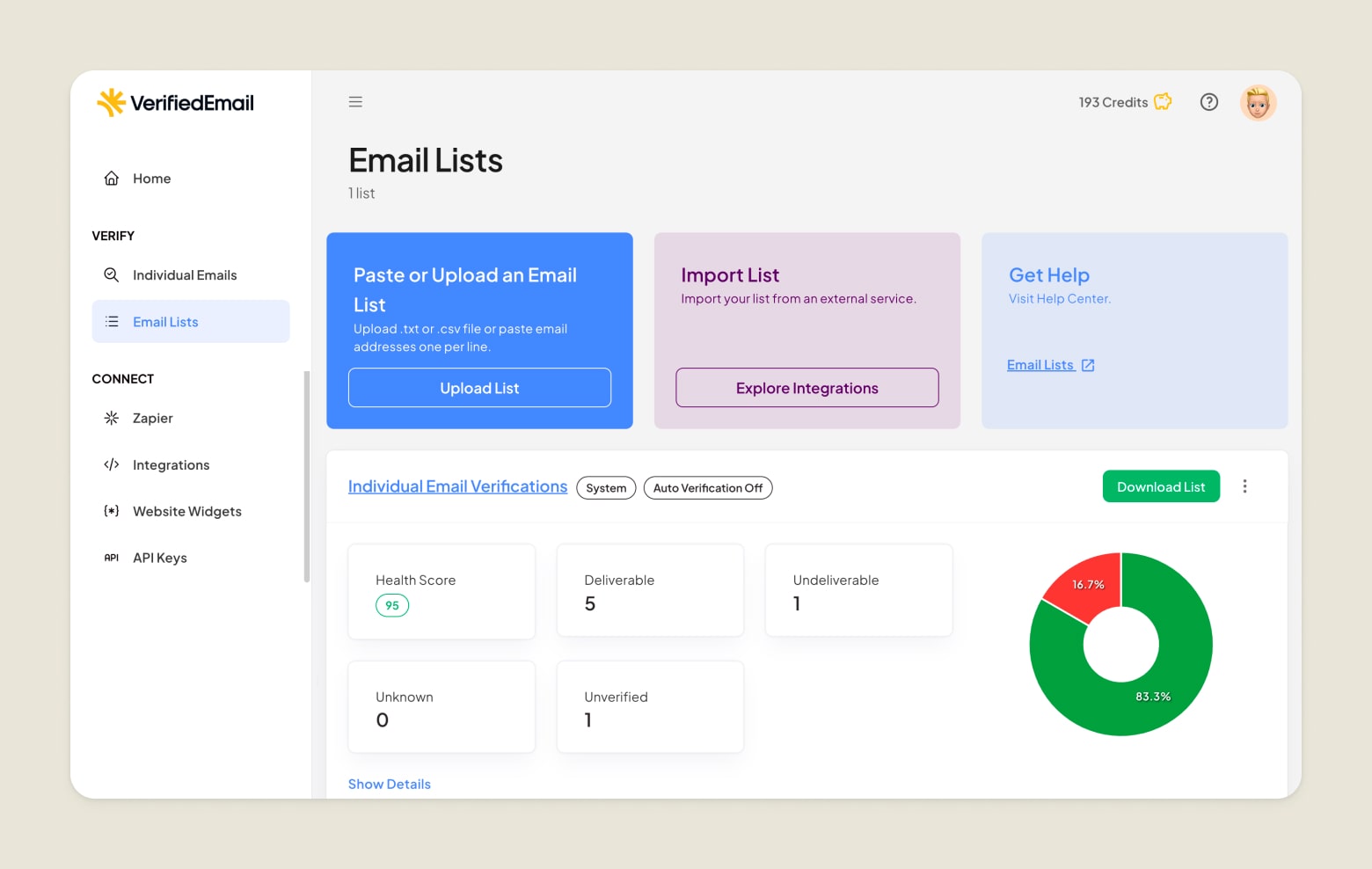
While Kickbox works well for removing clearly invalid emails, it often returns “unknown” results and offers limited insight into risky contacts. VerifiedEmail is designed to provide clearer risk signals, helping teams make better decisions on borderline addresses.
It also uses a pay-as-you-go pricing model without credit expiry, making it more predictable for teams that verify emails regularly or at scale.
Key differences that matter
| Kickbox | VerifiedEmail | |
|---|---|---|
| Pros |
|
|
| Cons |
|
|
Who should pick which tool?
Kickbox is a solid pick if you need a straightforward verifier with a clean UI and strong basic bounce reduction.
VerifiedEmail is a better fit if you care more about deeper deliverability insight, scalable pricing, and minimizing risk on higher‑volume or more sensitive campaigns.
Final Thoughts
Kickbox is a solid and accessible bulk email verification tool that performs well for basic list cleaning. It is easy to use, integrates with common platforms, and delivers clear improvements in many standard scenarios.
However, its limitations in handling edge cases, pricing structure, and overall deliverability visibility make it less suitable for more advanced use cases. For teams that treat deliverability as a core part of their email strategy, VerifiedEmail offers a more comprehensive and reliable approach.
Verify 200 emails for free. For lists over one-million emails, we will beat the price of any competitor, guaranteed.